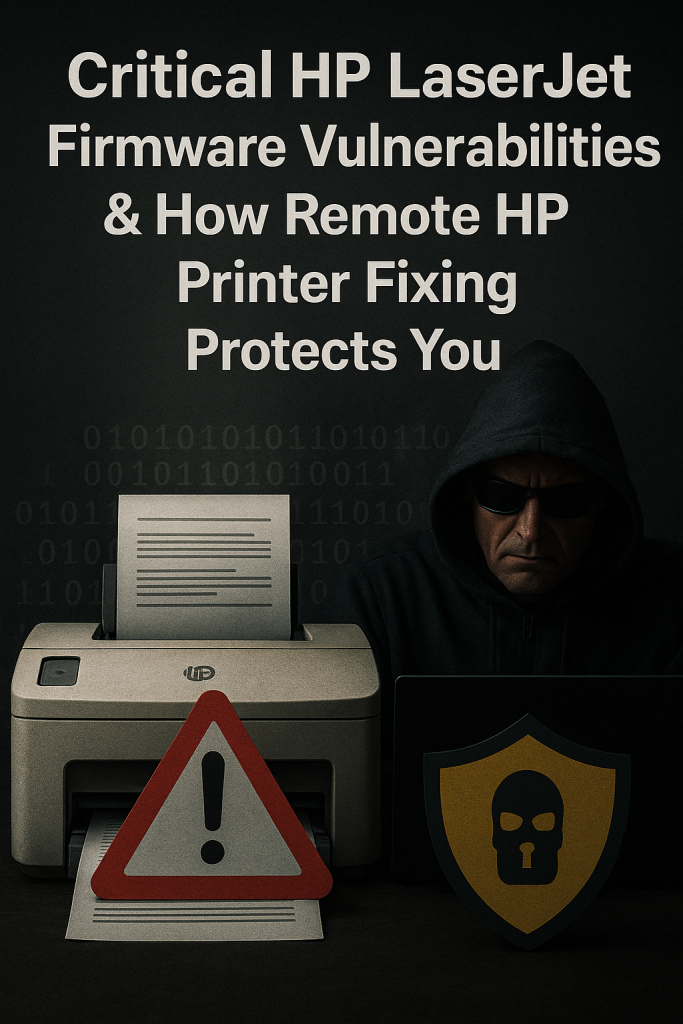
In 2025, cybersecurity threats have evolved beyond just your laptop or smartphone—your printer might actually be the most vulnerable part of your setup. If you own an HP printer, particularly the widely used LaserJet or OfficeJet models, your home or office network could be at risk from firmware-level hacking. Surprised? You’re definitely not the only one.
This guide will uncover how your HP printer could be at risk, highlight some real vulnerabilities that have come to light recently, and explain how our remote HP printer repair service can help secure your device before it’s too late.
⸻
🛑 The Hidden Dangers of HP Printer Firmware Flaws
Most people don’t bother to update their printer’s firmware. It’s often “out of sight, out of mind.” But that’s precisely where hackers find their opportunity. HP has recently revealed several serious vulnerabilities in the firmware of its LaserJet and OfficeJet printers, including:
• CVE-2025-26506 – A remote code execution (RCE) vulnerability via PostScript
• CVE-2025-26508 – A flaw that could grant full control of the printer over a network
Over 200 HP printer models are impacted—many of which are still in use in homes and small offices. If these vulnerabilities are exploited, hackers could:
• Gain access to your Wi-Fi network
• Read your scanned or printed documents
• Launch ransomware or spyware attacks on your computer
• Use your printer for botnet or spam campaigns
And the most alarming part? You might not even realize it’s happening.
⸻
🔧 Why HP Printer Fixing Is Now a Security Emergency
Whether you’re printing invoices for your home business or school assignments for your kids, your printer is directly linked to your sensitive data. If it gets compromised, everything else on your network is at risk too.
That’s where our remote HP printer fixing support comes into play.
“Is Your Printer Being Hacked? | Remote Fix Now”
Our Remote Fixing Services Keep You Safe
We’re not just here to tackle those pesky “printer not printing” issues. Our skilled tech experts are dedicated to proactively safeguarding your HP printer from today’s threats.
✔️ Check and update firmware for over 200 HP models
✔️ Disable vulnerable PostScript and network protocols
✔️ Secure printer settings (DNS, IP, firewall rules)
✔️ Isolate your printer from at-risk network segments
✔️ Remove any malicious jobs or queued exploits
✔️ Complete device hardening – all done remotely
No need for a technician to visit. No hassle. Just quick, professional printer security that keeps you safe.
⸻
📞 Need Help Right Now?
Reach out to our HP Printer Fixing Support Team
📲 +1-217-292-3579
Get secured in just minutes—remotely from anywhere in the USA.
⸻
📋 Firmware Fix Checklist for HP Users
Want to give it a shot yourself? Here’s a handy checklist:
1. ✅ Open the HP Smart App or visit 123.hp.com
2. ✅ Go to Printer Settings → Firmware Updates
3. ✅ Check your version against the latest at support.hp.com/drivers
4. ✅ Enable automatic updates to stay protected
5. ✅ Disable unused protocols like LLMNR, FTP, SNMPv1
Still feeling uncertain? We can handle all of this for you. Remotely. Safely.
⸻
💡 Pro Tip:
HP Wolf Security reveals that only 36% of users keep their firmware updated. Hackers are aware of this. Don’t wait until you become a target.
🧠 FAQs: HP Printer Security & Fixing
Q: Can someone really hack my home printer?
A: Absolutely. If your firmware isn’t up to date, it could be vulnerable to remote attacks.
Q: What if my printer seems to be working fine?
A: Many compromised printers continue to function normally—until hackers take full control.
Q: Do you support all HP models?
A: We focus on HP LaserJet, OfficeJet, DeskJet, and Smart App-enabled printers.
Q: Is your service remote?
A: Yes! We offer 100% remote printer repairs and security solutions. Quick, reliable, and safe.
⸻
🔎 Final Thoughts: Don’t Just Fix Your Printer—Secure It
Printers used to be straightforward devices. Nowadays, they’re robust network tools with internal memory, connectivity, and, unfortunately, some security vulnerabilities.
If you value your privacy, business information, or your family’s safety, don’t overlook firmware alerts. Let our experts provide HP printer repairs with a focus on security—delivered right to your screen, no matter where you are in the U.S.
📞 Call Now: +1-217-292-3579
✅ Fast | Secure | Remote | USA-wide Support
Real Incidents: When HP Printers Were Actually Hacked
While many folks see printers as “dumb” machines, the truth is that today’s HP printers are quite the opposite — they’re smart, networked devices that can easily become targets for cybercriminals.
🔐 Back in 2025, researchers uncovered serious vulnerabilities in HP LaserJet firmware that let hackers:
• Seize complete control of the printer from afar
• Inject malware into connected computers
• Steal sensitive documents that were sent to print
In a jaw-dropping demonstration at a hacking conference, a team managed to print a document — and in the process, they unknowingly installed spyware on the sender’s PC. All of this was made possible through the printer’s firmware.
⸻
⚠️ Warning Signs: Is Your Printer Already Compromised?
If your HP printer is displaying any of these warning signs, you might be in trouble:
✅ Printing random or unauthorized pages
✅ Making strange noises or overheating when not in use
✅ Not being able to access the printer settings menu
✅ Frequently showing “printer offline” or “driver missing” errors
✅ Triggering firewall or antivirus alerts during use
These aren’t just minor hiccups — they could be signs of malware, firmware issues, or even unauthorized access.
🛡️ How Our Remote HP Printer Fixing Keeps You Safe
We’re experts in spotting and eliminating firmware vulnerabilities in various HP printer models, including:
• HP LaserJet & OfficeJet series
• HP Envy & Smart Tank lines
• Networked HP printers that connect through USB, Wi-Fi, or LAN
When you reach out to us at +1-217-292-3579, here’s what you can expect:
🛠️ We’ll securely connect via remote desktop
🔍 We’ll scan for outdated firmware and any suspicious activity
🔄 We’ll install the latest HP firmware updates
🔒 We’ll tighten up your printer settings to minimize future risks
📃 We’ll share best practices with you (like disabling WSD, SNMPv1, etc.)
⸻
📌 Final Note: Don’t Overlook Printer Security
Remember, your printer is a gateway to your entire network. If it’s not secure, hackers can go beyond just messing with your print jobs — they could potentially access everything on your computer. Don’t let a $200 printer turn into a $20,000 data breach.
Take action to secure your HP printer today — call +1-217-292-3579 for remote HP printer fixing and security assistance.
Pingback: How Hackers Use Your Printer to Spy on You — And How Printer Fixing Can Help - Printer Fixing
Comments are closed.